


How do I Connect the WIFI On my Hot Tub?
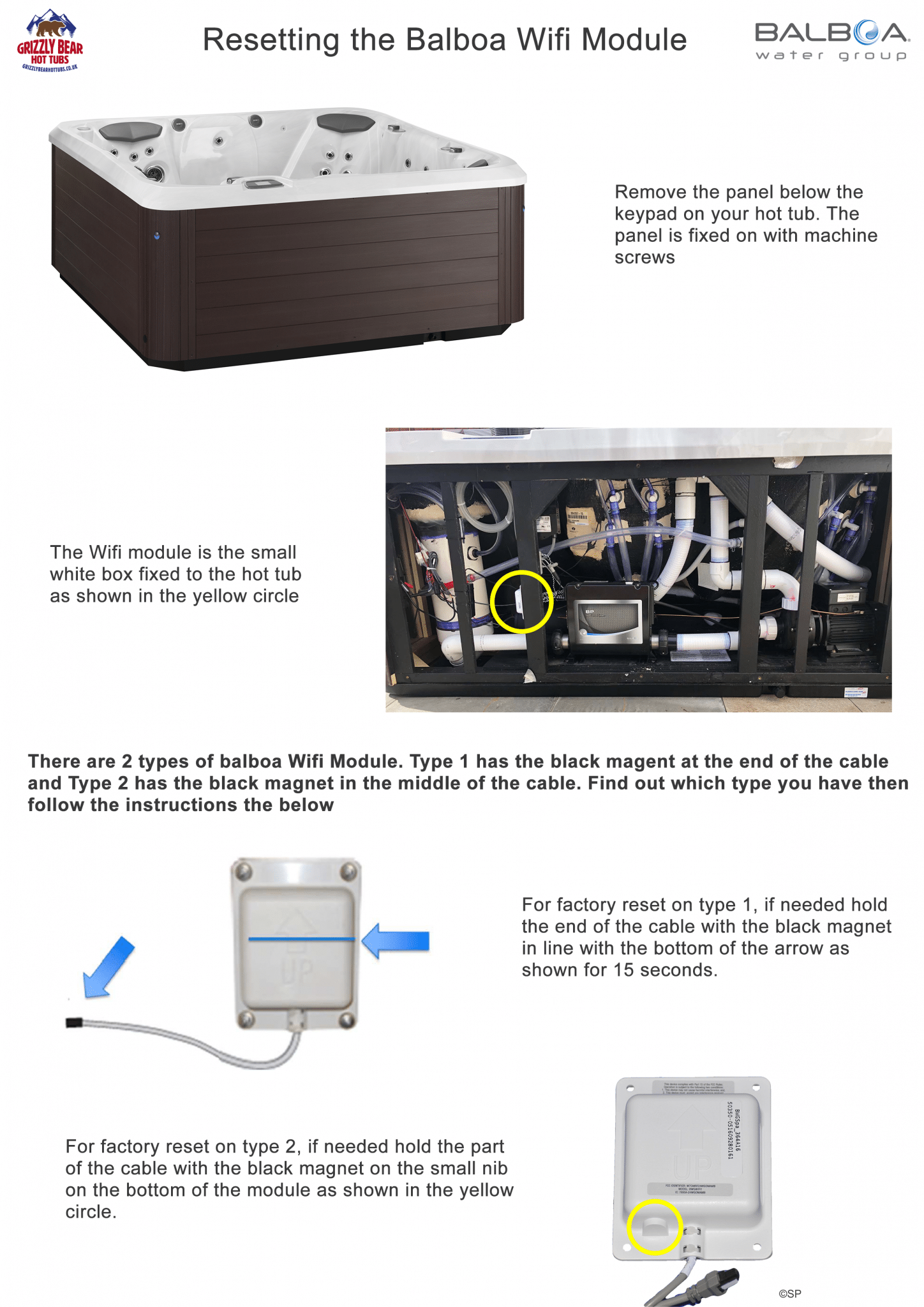
How To Reset Your Wifi Module
Pairing Bluetooth Devices To Your Hot Tub
You can only have one device paired to your hot tub at one time. Firstly check the touchscreen keypad on your hot tub does not show ‘Bluetooth Connected’ on the bluetooth area. If your display shows Bluetooth Connected this means another device is already connected. If you find another device is connected please disconnect this device then try pairing with the device you want to use.
The pairing passcode for 2019 – 2020 models is: 6000 (no code is needed on many models)
The pairing passcode for 2016 – 2018 models is: 6000
The pairing passcode for 2014 – 2015 models is: 0000
If your device is connected to the hot tub but you still can’t get the system to play your music, check that you have the correct source setting on the Bluetooth area of your touchscreen keypad. To do this, press the source icon which is the one with a square and an arrow in it (this is generally located just above the Play icon). Press the source icon until ‘Line In’ goes away and it says ‘Mode Changing’ then ‘Bluetooth’. Your music should then start to play through the system.
If after trying the above you cannot get your device to work, try pairing another device to the system as occasionally it can be the device that is the issue.


